SilientAid

SilientAid

Using Lovable to help create an easy to use
S.O.S in the time of an emergency

Easy S.O.S in the time of an emergency

Project Summary

Overview

SilentAid was created to address a critical gap in safety tools for people who can’t openly call for help in dangerous situations. Existing apps are often too obvious, too complex, or require hardware many users don’t have. Through research and empathy-driven exploration, we learned survivors need a fast, discreet solution that blends into everyday phone use. SilentAid meets this need by disguising itself as a harmless utility app and enabling subtle, customizable triggers that silently send alerts and location information to trusted contacts or responders.

Client

School Project

Time

9 weeks

My Role

UX Designer

Project

App Design

Project Summary

Overview

SilentAid was created to address a critical gap in safety tools for people who can’t openly call for help in dangerous situations. Existing apps are often too obvious, too complex, or require hardware many users don’t have. Through research and empathy-driven exploration, we learned survivors need a fast, discreet solution that blends into everyday phone use. SilentAid meets this need by disguising itself as a harmless utility app and enabling subtle, customizable triggers that silently send alerts and location information to trusted contacts or responders.

Client

School Project

Time

9 weeks

My Role

UX Designer

Project

App Design

Project Summary

Overview

Finding someone to date is hard, but sometimes the hardest part is planning the date. DateNite is an app that helps make planning a date easier by providing the best options in your local city. By offering curated recommendations, a modern and appealing UI for users under 35, user-friendly design to eliminate guesswork, and a randomizer feature to keep dates interesting plus reduce decision fatigue, DateNite lets users focus on enjoying their date instead of the logistics.

Client

Date Nite

Duration

2 months

My Role

UX Designer

Project

App Redesign

Problem

Problem

Problem

For people experiencing domestic violence or unsafe situations, reaching out for help isn’t always possible. Phone calls can be overheard, apps can be monitored, and traditional safety tools are often too obvious or too complicated to use discreetly.

Our team discovered that existing solutions either rely on expensive hardware, are not culturally or situationally sensitive, or lack the subtlety required for real-life dangerous environments. Survivors need a lifeline that blends into their everyday technology — something easy, fast, and impossible to detect.

Solution

Solution

Solution

  • Provide discreet protection through multiple disguise options

  • Enable quick, silent emergency alerts triggered by phone or smartwatch

  • Share location in real time with trusted contacts or responders

  • Give responders a clear dashboard for monitoring alerts and taking action

  • Remove complexity so users can act immediately in high-stress moments


How might we create a discreet, intuitive emergency-alert system that someone can safely use even when they cannot speak or openly ask for help?

How might we create a discreet, intuitive emergency-alert system that someone can safely use even when they cannot speak or openly ask for help?

Discover

Discover

Discover

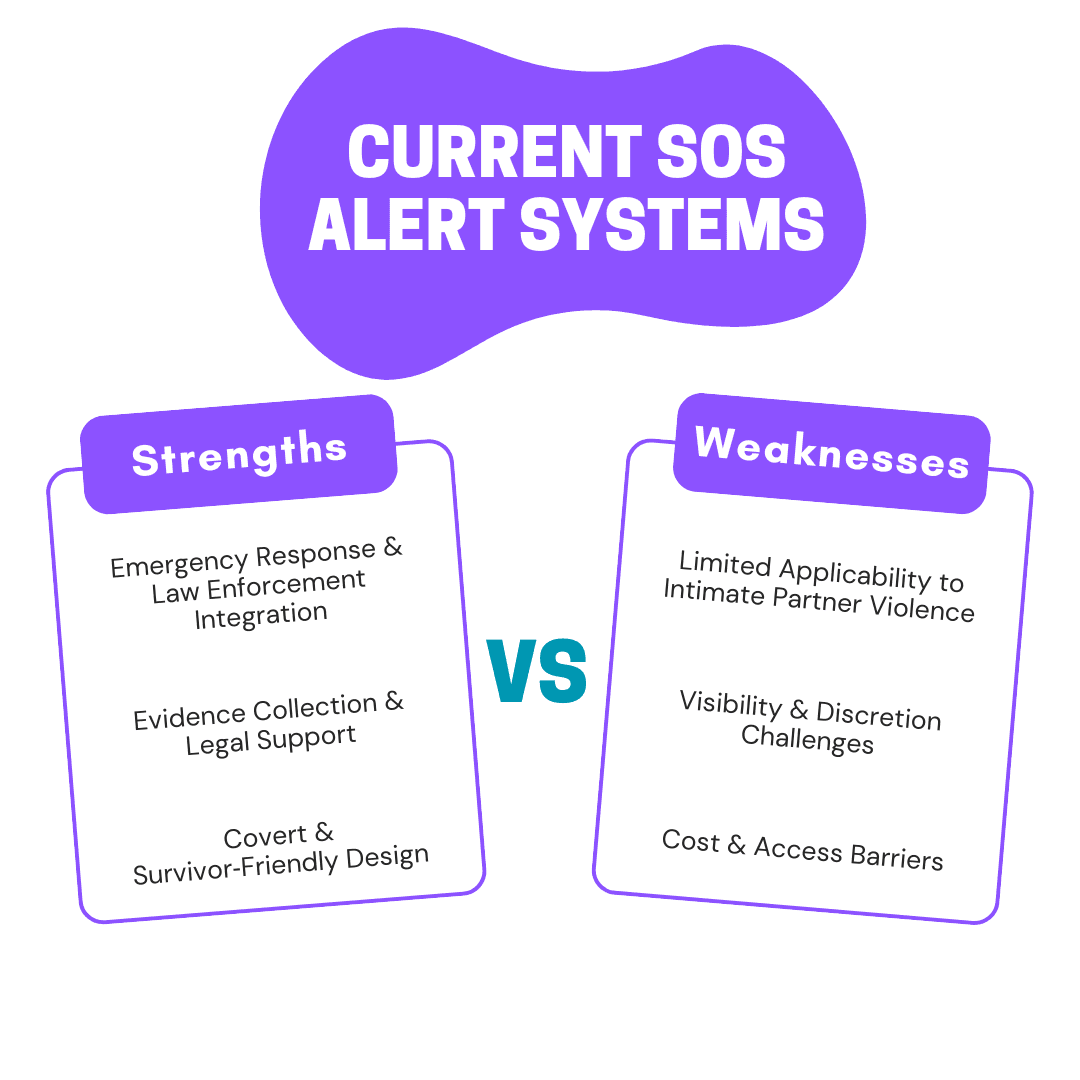
Our team started with little knowledge about safety tech in domestic-violence contexts. This made early research invaluable. With limited time, we conducted competitor analysis to truly see the gaps in existing covert alert tools, persona and scenario development.

Our team started with little knowledge about safety tech in domestic-violence contexts. This made early research invaluable. With limited time, we conducted competitor analysis to truly see the gaps in existing covert alert tools, persona and scenario development.

Overview

Overview

Many existing apps are too obvious, too complex, or dependent on specialized hardware. Survivors need autonomy, subtlety, and control, specifically an app that won’t raise suspicion yet still performs powerfully under pressure.


We wanted to ensure the app conveyed the right vibe and mood, so we consulted with people who had experienced similar situations. Their insights helped us design the app to feel gender‑neutral and safe.
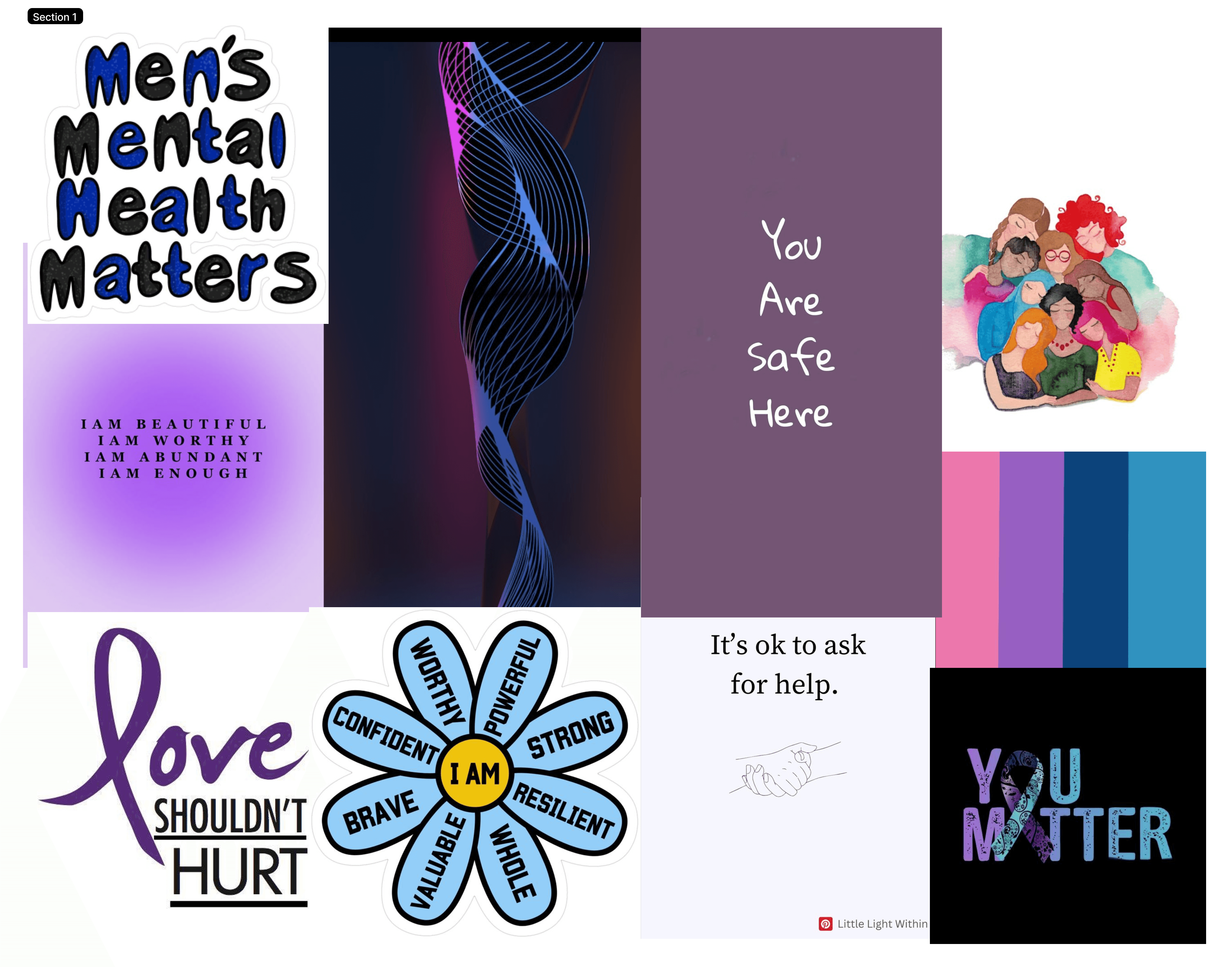
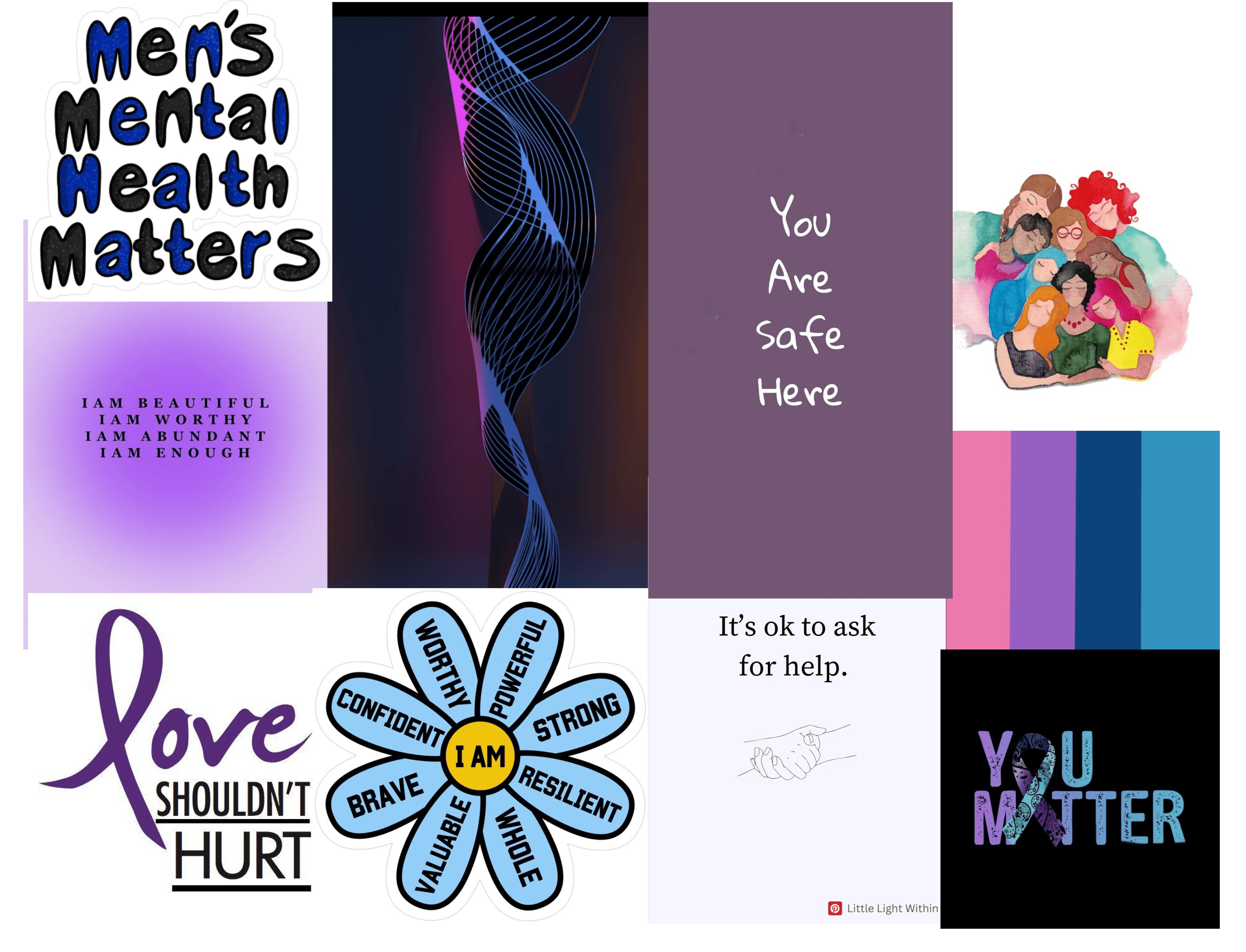
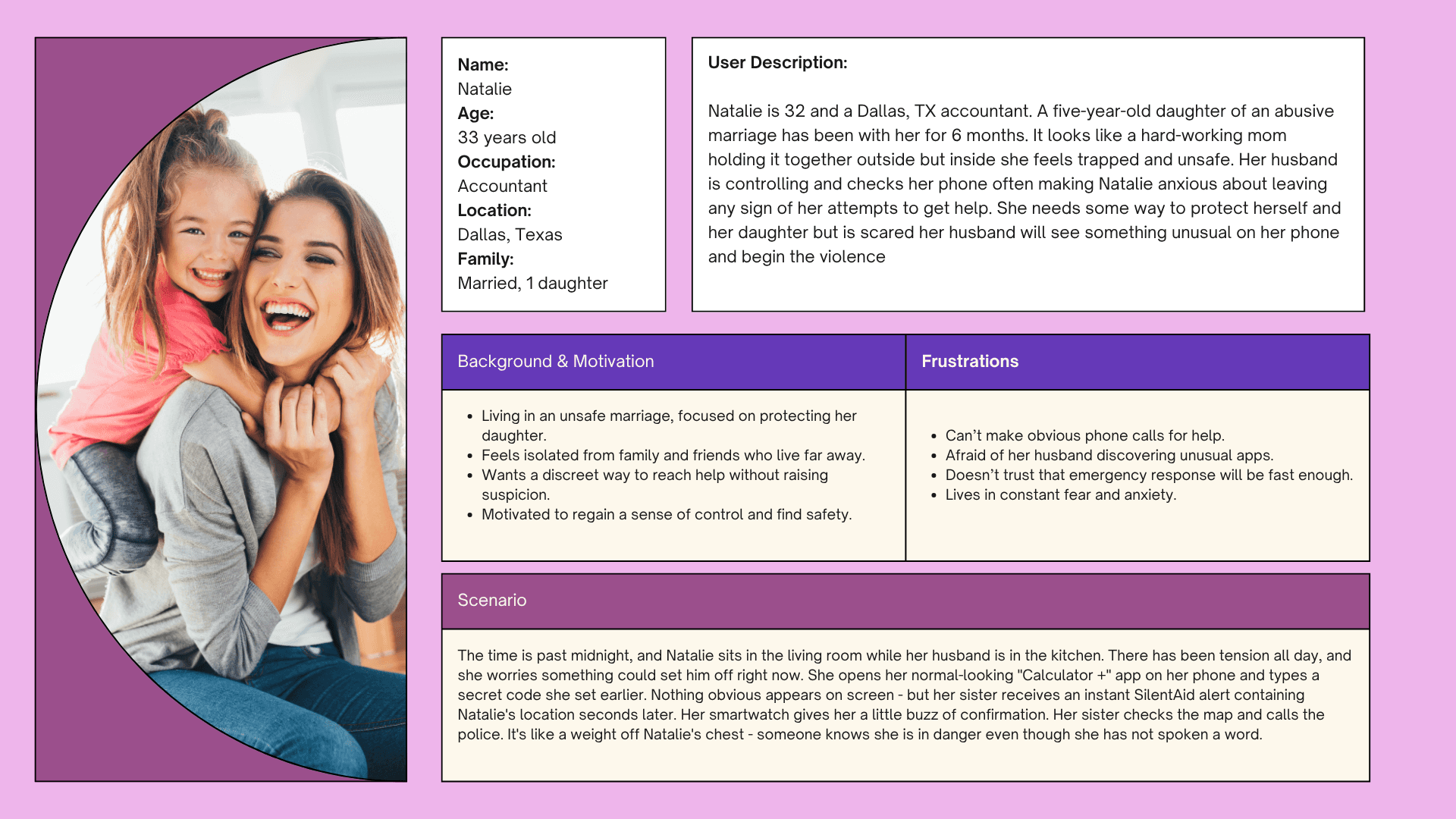
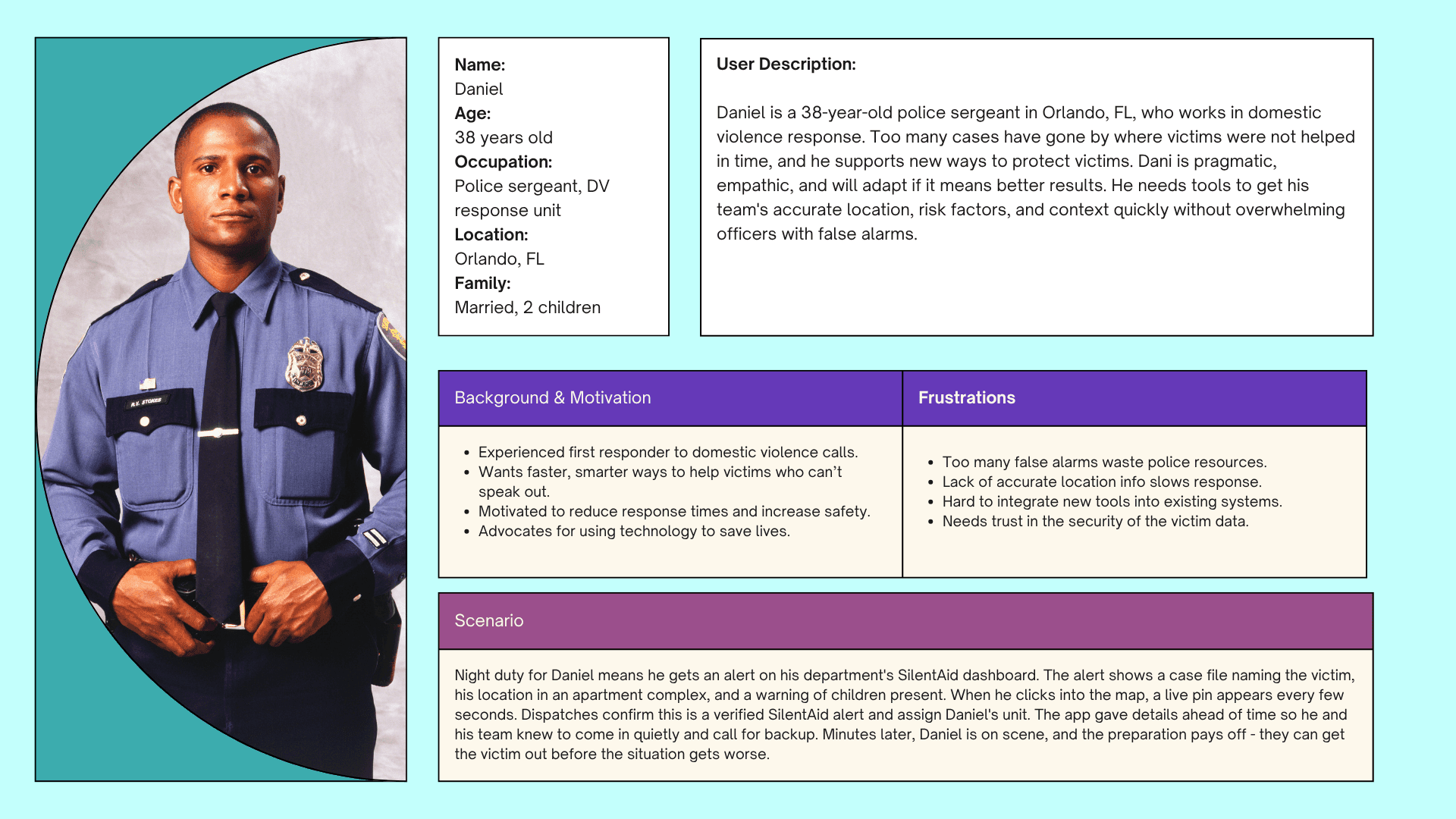
This research directly informed the creation of a mood board that captured the emotional tone we wanted to achieve, and guided the development of user personas that reflect the diverse needs and experiences of potential users.
Ideate & Design

Ideate & Design

Ideate & Design

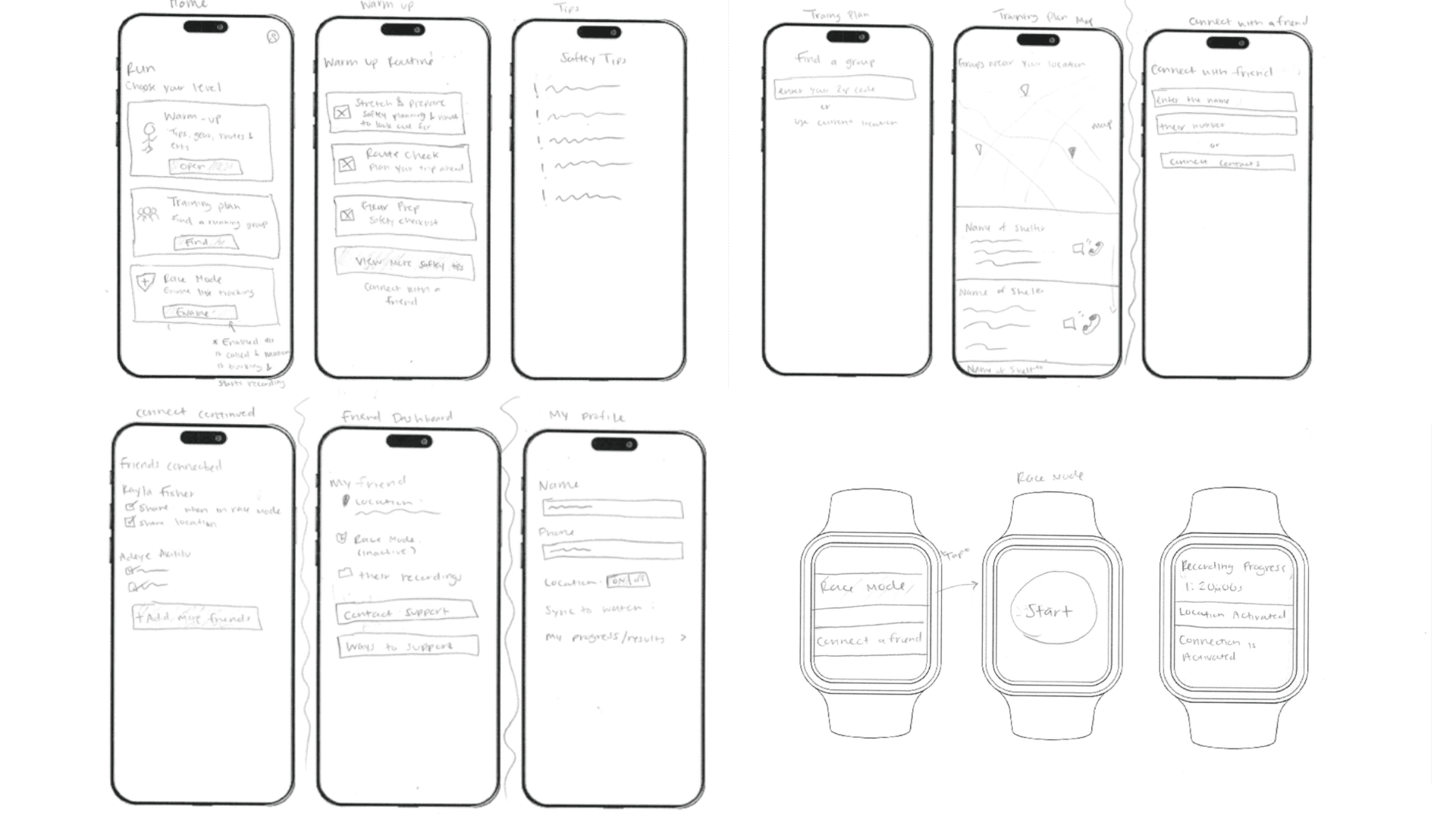
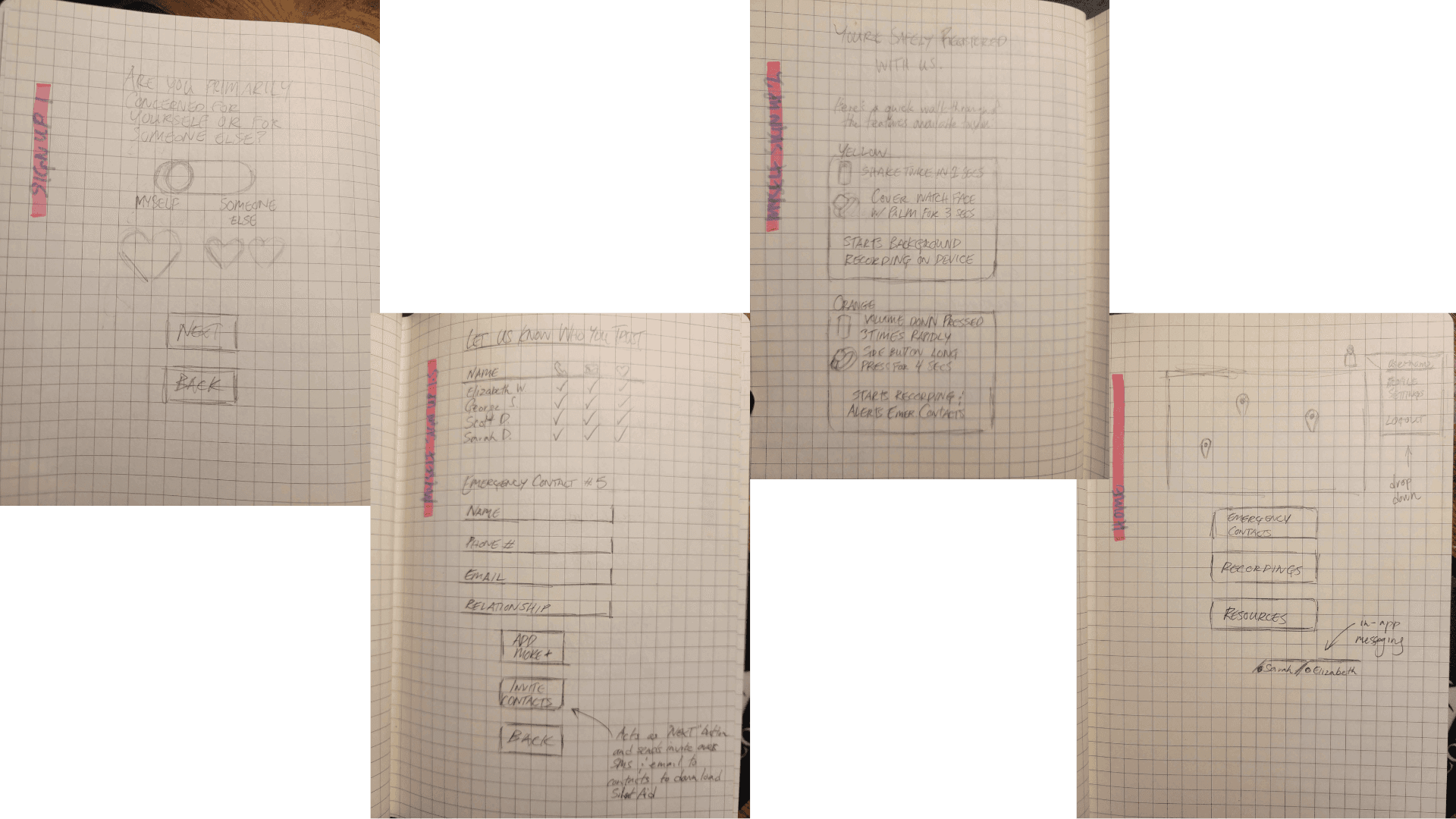
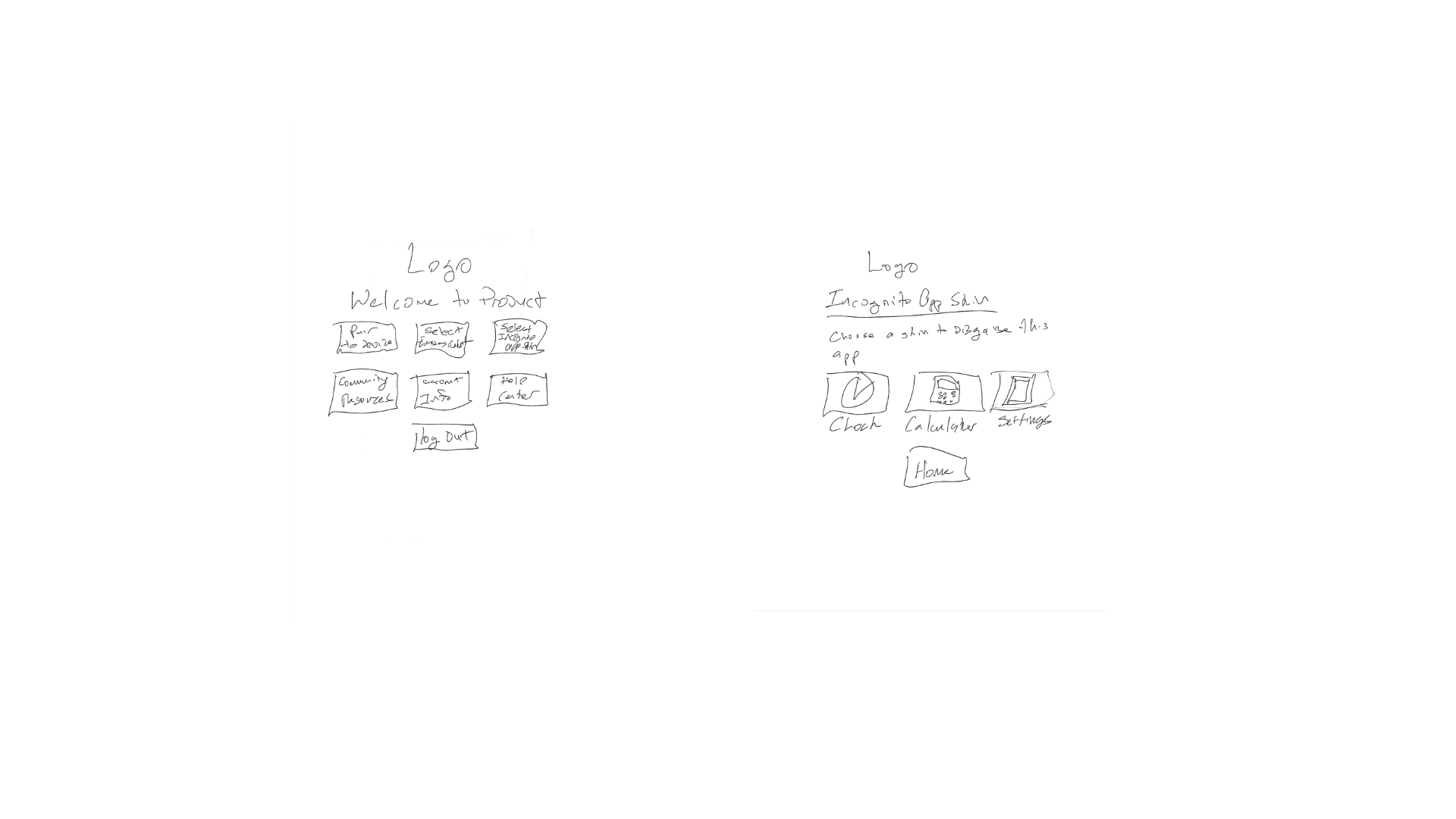
This guided our early lo-fi sketches:

  • Simple, calming visual language

  • Minimal interactions required

  • Hidden pathways to send alerts

  • A disguised home screen

  • Easy watch pairing

  • Emergency contact setup workflows

Initial Designs Before Testing

Initial Designs Before Testing

Initial Designs Before Testing

Mid-Fi Designs & Testing

As a team, we each sketched different interaction directions, then merged the strongest ideas into shared flows.

As a team, we each sketched different interaction directions, then merged the strongest ideas into shared flows.

We ran moderated usability testing to test core safety tasks within the prototype app to evaluate usability, discretion, and reliability.

Participants were asked to:

  1. Add an emergency contact

  2. Set up an app disguise

  3. Pair the app with a smartwatch

  4. Send an emergency alert from the smartwatch

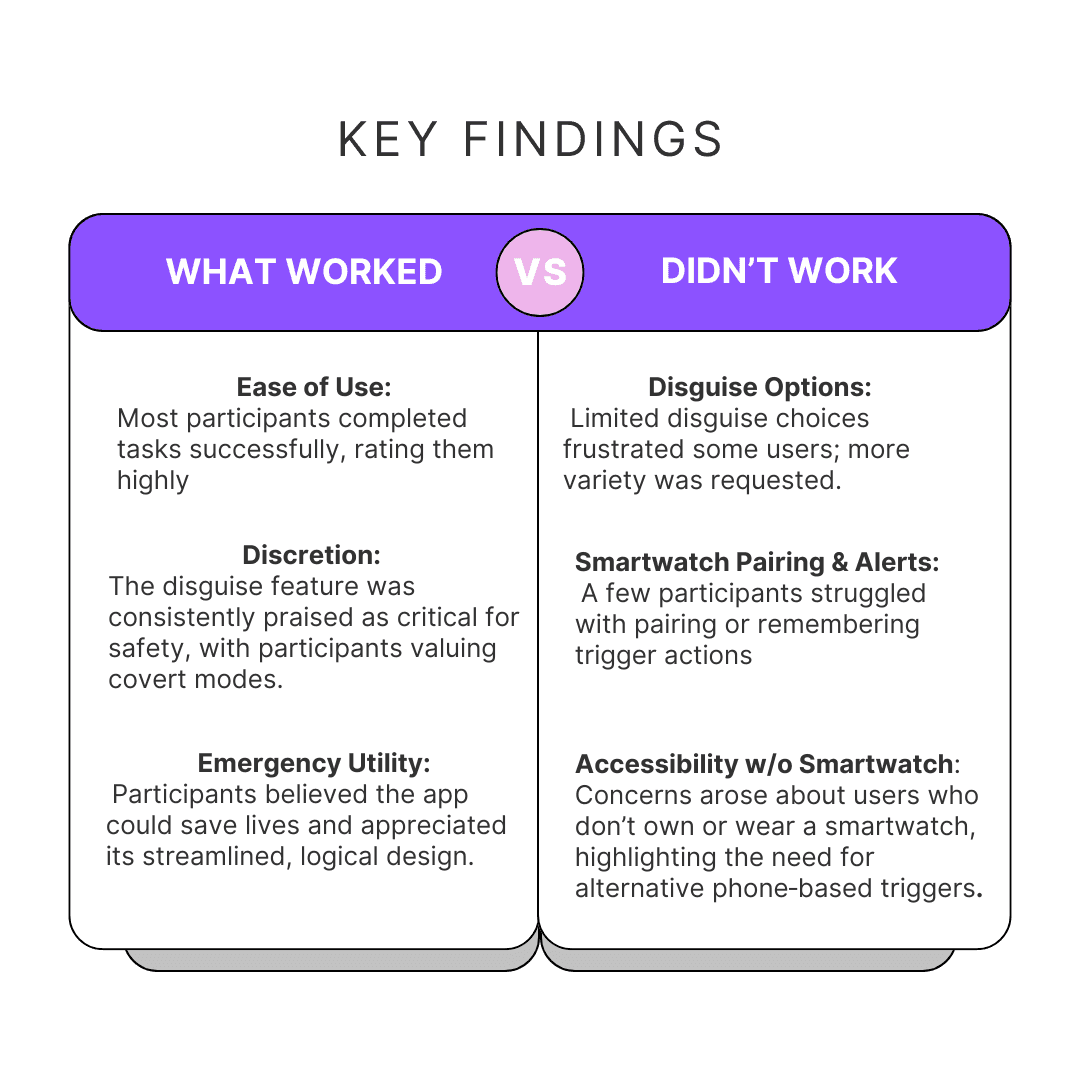
From these test, we gathered that the updates we should make were:

  • Add more unisex disguise options beyond the current three.

  • Enable customizable triggers for both phone and smartwatch.

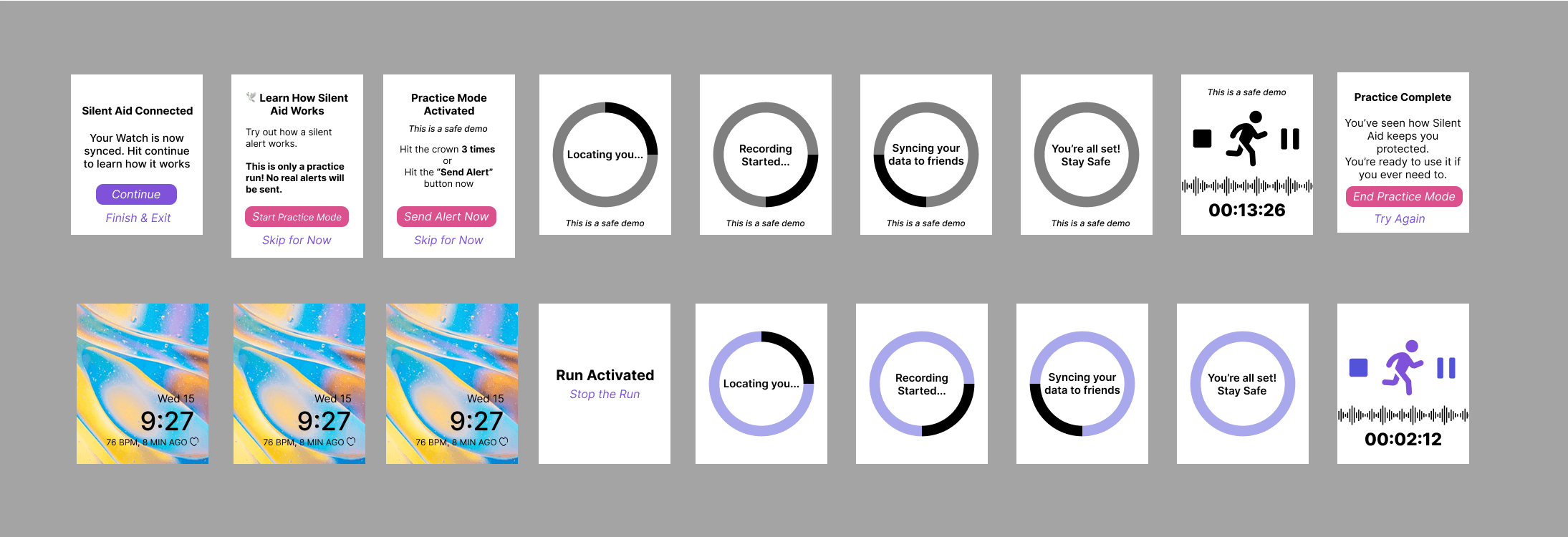
  • Provide visual/haptic feedback during pairing and alert activation.

  • Consider a Responder/Friend view to show how alerts are received.

Despite this, participants consistently described the app as logical, straightforward, and potentially life-saving. These insights directly shaped our next design iteration.

From these test, we gathered that the updates we should make were:

  • Add more unisex disguise options beyond the current three.

  • Enable customizable triggers for both phone and smartwatch.

  • Provide visual/haptic feedback during pairing and alert activation.

  • Consider a Responder/Friend view to show how alerts are received.

Despite this, participants consistently described the app as logical, straightforward, and potentially life-saving. These insights directly shaped our next design iteration.

Redesign

After refining our approach based on user feedback, our second round of testing yielded significantly improved results, with users successfully completing tasks and praising the updated UI design.

Hi-Fi Protoype

Hi-Fi Protoype

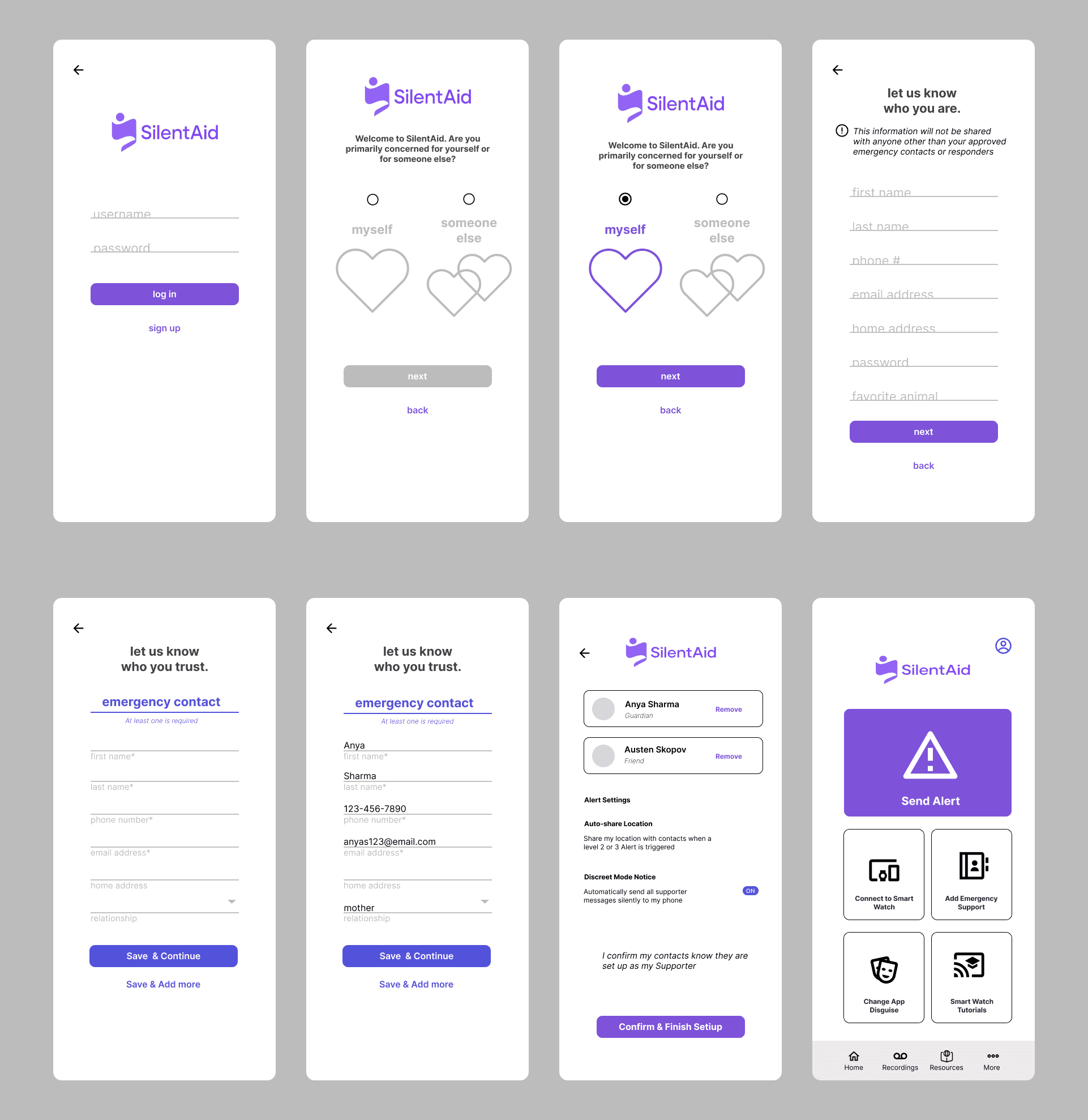
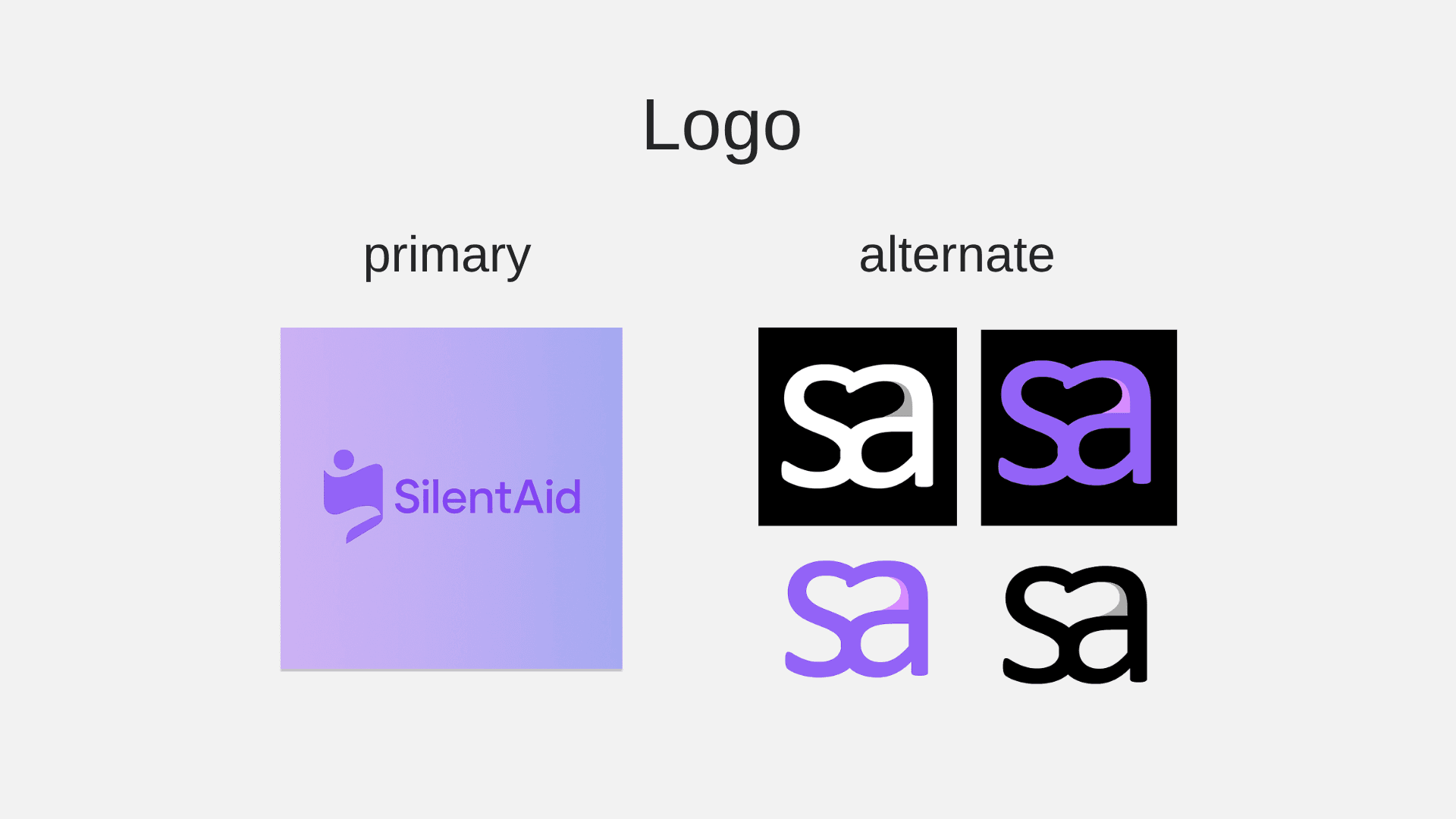
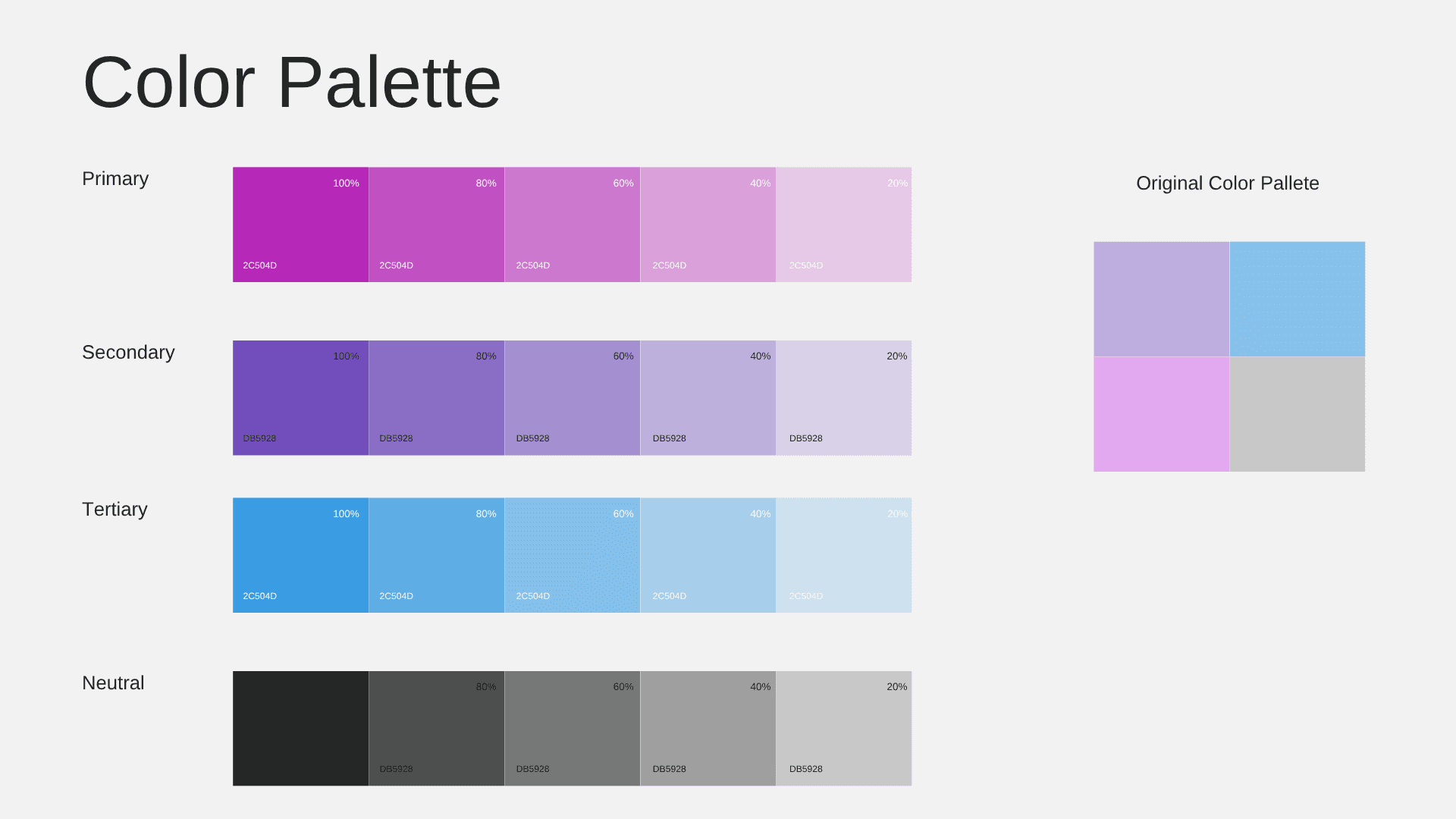
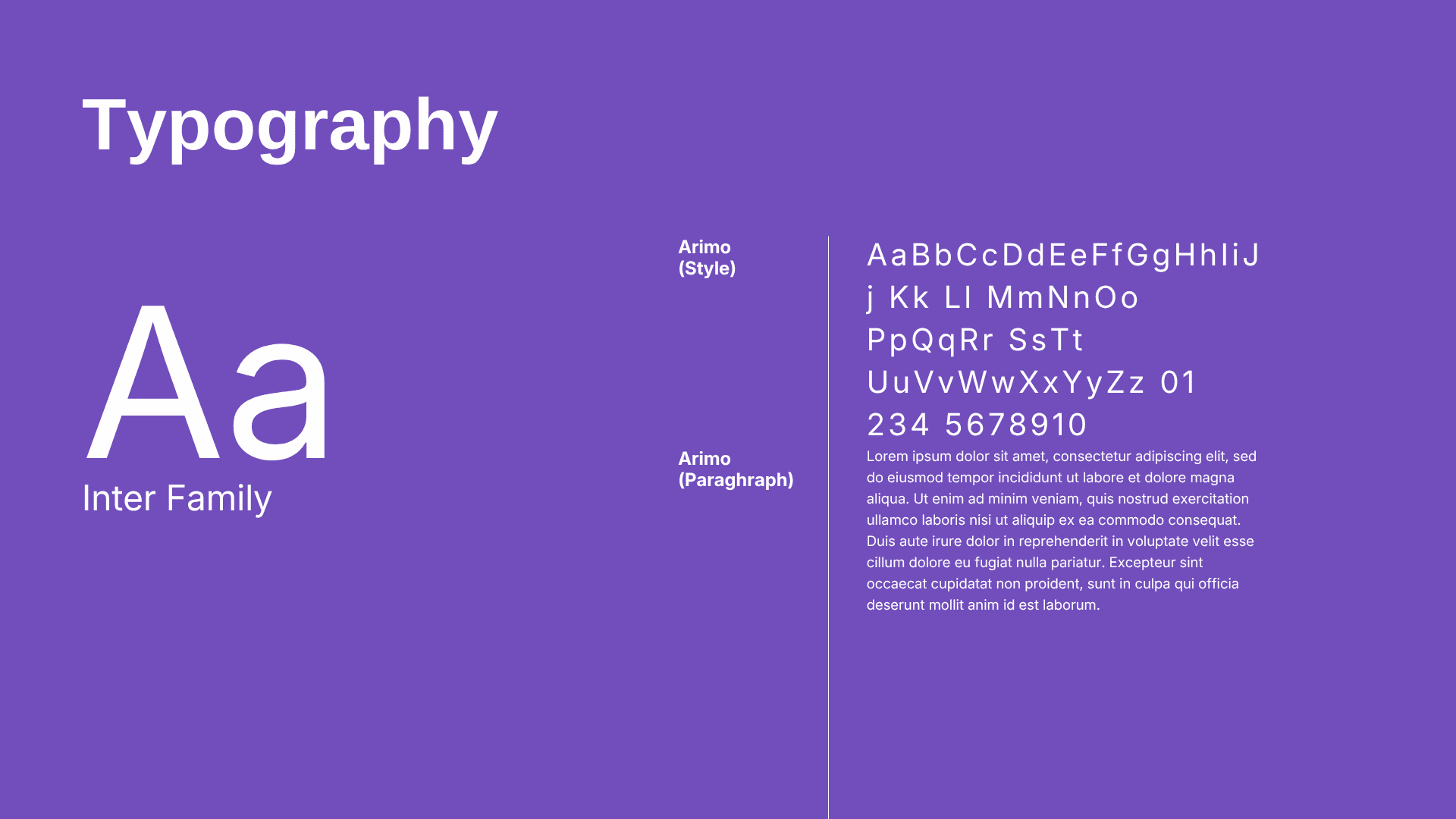
Our mood board inspired this style guide, shaping a soothing, calm color scheme carried into the design. To maintain accessibility, we used the Inter font in our hi‑fi prototypes for its readability across a broad audience. We explored multiple logo options but selected the one featured in most screens for the subtle, secret message it conveys.

Our mood board inspired this style guide, shaping a soothing, calm color scheme carried into the design. To maintain accessibility, we used the Inter font in our hi‑fi prototypes for its readability across a broad audience. We explored multiple logo options but selected the one featured in most screens for the subtle, secret message it conveys.

We ran moderated usability testing to test core safety tasks within the prototype app to evaluate usability, discretion, and reliability.

Participants were asked to:

  1. Add an emergency contact

  2. Set up an app disguise

  3. Pair the app with a smartwatch

  4. Send an emergency alert from the smartwatch

Style guide

What changed

Updated Trigger Set up
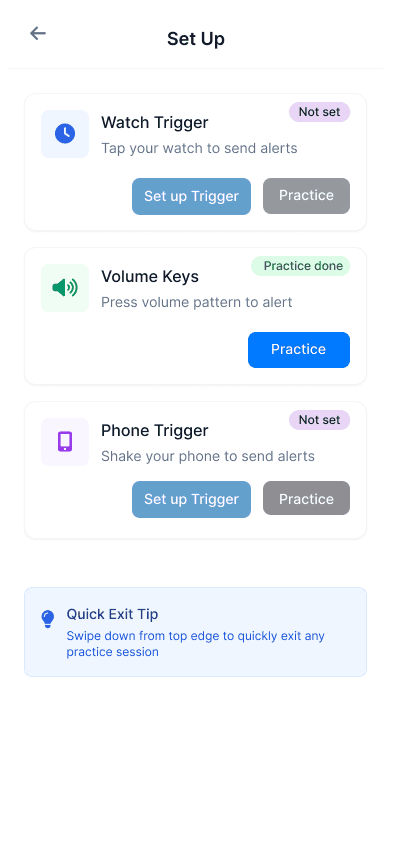
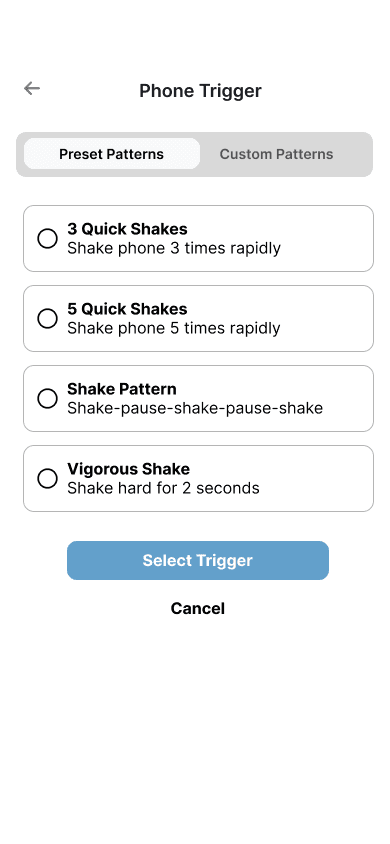
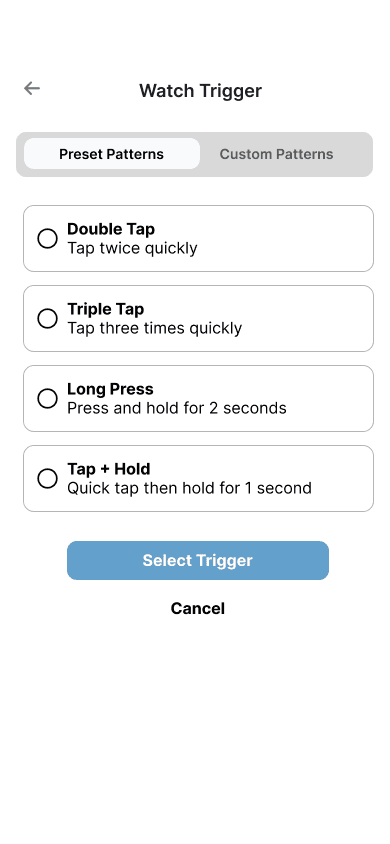
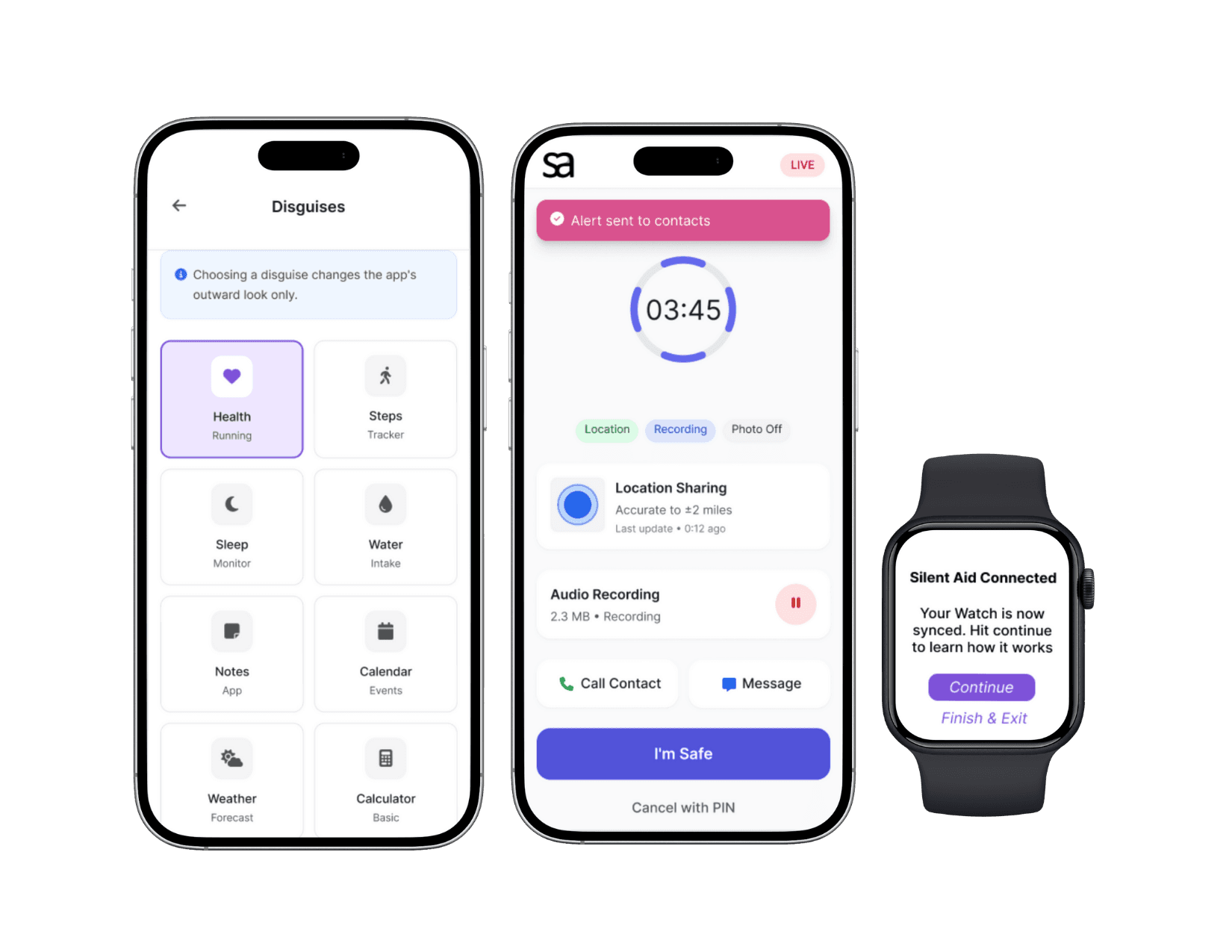
Following up on our feedback of not remembering the trigger from the initial set up and the concern of not having a smart watch from the user testing , me and one of the other members used Lovable to get an updated version and use that to create customizable triggers for both phone and smartwatch, and added steps to create those triggers.

Following up on our feedback of not remembering the trigger from the initial set up and the concern of not having a smart watch from the user testing , me and one of the other members used Lovable to get an updated version and use that to create customizable triggers for both phone and smartwatch, and added steps to create those triggers.

Dashboards for the different users
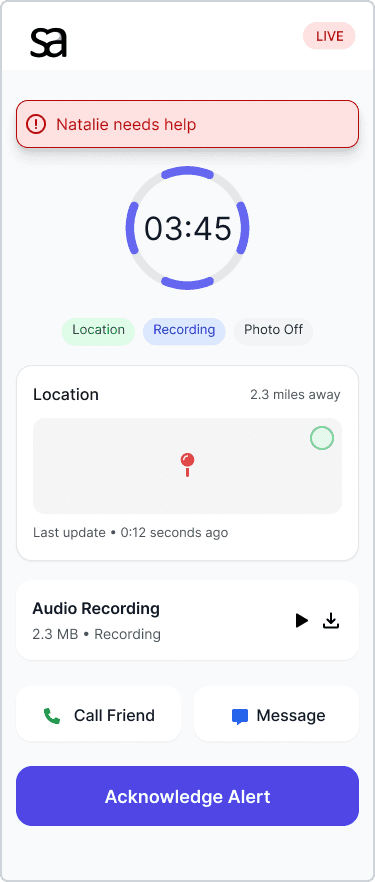
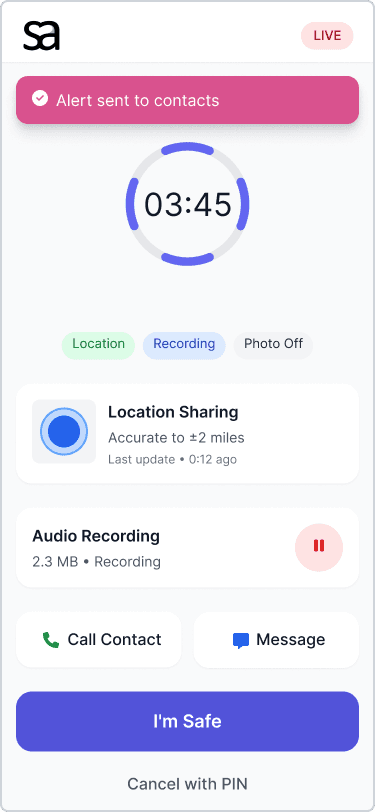
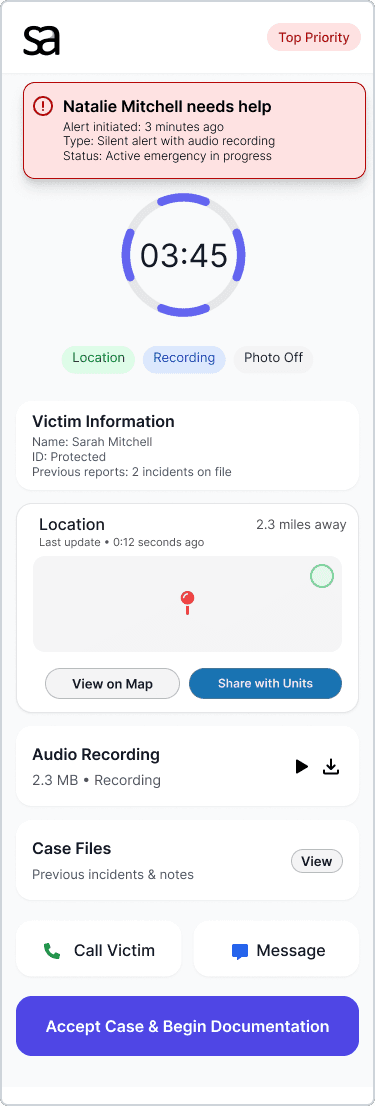
We were about to create the dashboards for what the victim would see if they sent an alert from their phone (image #1 on the left), what a trusted friend would see (image #2, on the right), and what would be seen by a police officer or social worker (image 3, on the bottom)

We were about to create the dashboards for what the victim would see if they sent an alert from their phone (image #1 on the left), what a trusted friend would see (image #2, on the right), and what would be seen by a police officer or social worker (image 3, on the bottom)

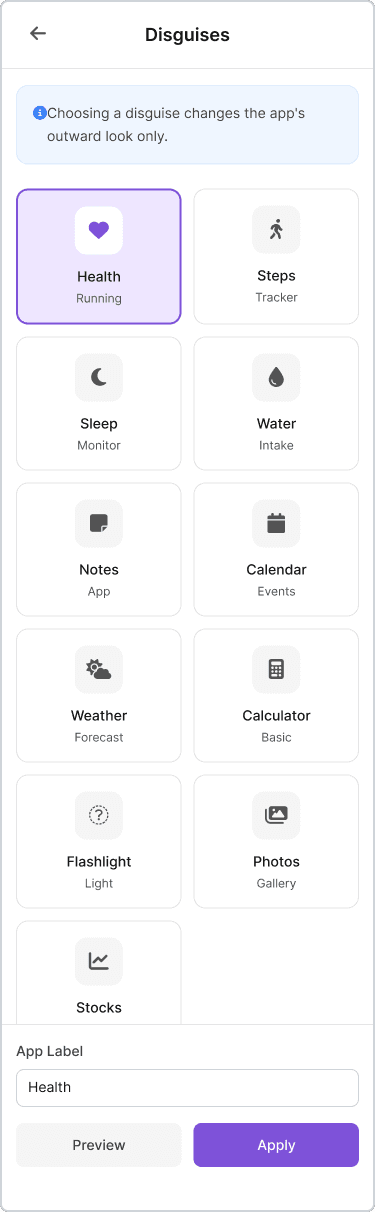
Updated disguises

In response to the feedback that users should be offered more choices of disguises, we changed our number of disguises from three disguises to eleven

In response to the feedback that users should be offered more choices of disguises, we changed our number of disguises from three disguises to eleven

Reflection

Reflection

Reflection

It may be an obvious lesson, but this project shows that it is very important to test how users respond to prototypes before continuing the development of a product.  If we had more time and energy, the best thing we could have done would have been to conduct more user testing, both of our changes, and of the hi-fi designs we are showing in this report, but haven’t had the opportunity to test.  

It was also rewarding to see that our users generally seemed to feel that our product could be helpful and valuable.  This is good motivation to carry on the work, if we choose to do so.  The product does have the potential to help people.  Given our primary lesson learned, it would be best to continue this process with more rounds of user testing.

Working on this website, I learned that ensuring accessibility on a website is crucial for creating an inclusive online environment. Not just focusing on the colors aspect but all of it. I was able to catch a few mistakes, but while reviewing again to write this case study, I noticed more issues and will go back to fix them.


I need to continuously educate myself on the latest accessibility standards and guidelines. I also need to incorporate accessibility checks throughout the design and development process. Seeking feedback from users with disabilities is essential to identify areas for improvement, and I need to use tools and resources that help test and enhance accessibility features on a website.

It may be an obvious lesson, but this project shows that it is very important to test how users respond to prototypes before continuing the development of a product.  If we had more time and energy, the best thing we could have done would have been to conduct more user testing, both of our changes, and of the hi-fi designs we are showing in this report, but haven’t had the opportunity to test.  

It was also rewarding to see that our users generally seemed to feel that our product could be helpful and valuable.  This is good motivation to carry on the work, if we choose to do so.  The product does have the potential to help people.  Given our primary lesson learned, it would be best to continue this process with more rounds of user testing.

Made while Olivia Benson solving crimes in the background.

Copyright © Desirae Baker-McGhee

Made while Olivia Benson solved crimes in the background Copyright © Desirae Baker-McGhee

Made while Olivia Benson solving crimes in the background.

Copyright © Desirae Baker-McGhee